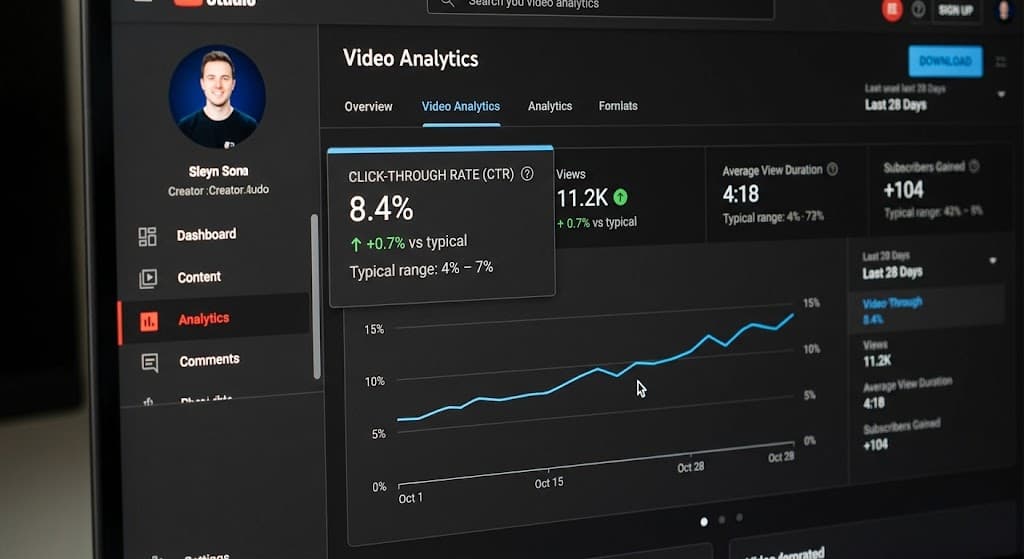
If your thumbnail isn't getting clicks, the cause is rarely a mystery. It's usually one or two things from a short, predictable list, and you can spot them in a few minutes if you know where to look. If you're not getting clicks, work through the checklist below in order, and stop when one of the points clearly applies. Fixing one real problem beats tweaking ten small ones.
Short on time? Upload your thumbnail to ThumbRoasty and it checks most of these at once, then tells you the specific fix.
The 10-point checklist for a thumbnail that isn't getting clicks
1. Your colors don't stand out
Color is one of the first things a viewer notices. If your thumbnail has weak contrast, or if its colors match everything around it in the feed, it gets lost. Check: shrink it to a tiny square and squint. If nothing pops, contrast is the problem. More in the psychology of YouTube thumbnail colors.
2. The text is too small to read
Many creators size text as if someone were reading it up close. In a phone feed it needs to read like a billboard from a passing car. Check: view the thumbnail at the size it appears in a mobile feed, not zoomed in on your editing screen. The full fix is in why your thumbnail text may be killing your CTR.
3. You're copying a habit that only works for big channels
Large channels get views from loyal subscribers even when their thumbnails are weak, so some bad habits survive there. Without that cushion, the same habit costs you clicks. Check: if you copy a big channel's style, ask whether it works because of the thumbnail or despite it. Compare yours against seven mistakes even popular YouTubers still make.
4. Size or compression is hurting the image
A file at the right resolution can still look soft or blocky after upload if it was over-compressed or exported badly. Check: open the thumbnail as it appears on your published video, not your original file, and look for blur or banding. The details are in our YouTube thumbnail size guide.
5. It looks like a template
Templates are fast, but popular ones are used by thousands of channels. If your thumbnail feels oddly familiar, this may be why. Check: search for the template name. If it's popular, others in your niche probably use it too. Read why templates can cap your CTR.
6. The font disappears at small size
A font that looks great in your design tool can fall apart when it's scaled down. Check: shrink the thumbnail to phone-feed size and see if the text is still instantly readable. See the best fonts for YouTube thumbnails for options that hold up.
7. The text is either boring or overpromising
Text that states the obvious gives people no reason to click. Text that oversells earns a click and then a quick exit. Check: read the text aloud. If it sounds flat, or like an infomercial, adjust it. Find the balance with how to write thumbnail text without sounding like clickbait.
8. The thumbnail and title say the same thing
When both repeat one idea, you waste half your space. Check: cover the title and see if the thumbnail alone creates curiosity. Then cover the thumbnail and check the title. See how the thumbnail and title work together.
9. The face is missing, or it isn't working
Faces attract attention, but a flat or unrelated expression can do more harm than no face. Check: show the thumbnail to someone for one second and ask what emotion they saw. If they can't say, the expression isn't doing its job. Decide whether you need one with should you show your face on thumbnails?
10. You're risking more than clicks
A small set of mistakes can lead to policy problems or copyright claims, which cost more than a low CTR. Check: run through this one even if your CTR looks fine. See thumbnail mistakes that can get a video penalized.
What if all ten look fine?
Then the thumbnail may not be the reason you're not getting clicks. Check these next:
- Impressions: if YouTube shows the video to very few people, low clicks are a discovery problem, not a thumbnail problem.
- Traffic source: search viewers and browse viewers behave differently. Look at CTR by source in YouTube Studio.
- Topic and title: a weak idea can't be rescued by a good thumbnail.
- Timing: a new video usually starts with a higher CTR and settles as it reaches colder audiences.
Fix it, then measure it
Once you know why you're not getting clicks, change one thing at a time so you know what worked. Found the problem? Here's how to change a YouTube thumbnail on a live video, and how to rate the new one first. For a controlled comparison, read our guide to A/B testing thumbnails.
Frequently asked questions
How often should I re-check an old thumbnail?
Whenever a video's CTR sits well below your channel's own recent average. There's no fixed schedule. An older video with strong impressions and a dated thumbnail is often the best one to fix first, because you already know people are interested.
Does fixing my thumbnail guarantee more clicks?
No. Nothing on this list guarantees a result. It removes the most common, fixable reasons a thumbnail underperforms, which improves your odds.
Why am I not getting clicks on a good-looking thumbnail?
Looks are only one factor. Impressions, topic, title, and traffic source all shape whether people click, so check those as well.
Should I redesign the whole thumbnail or just tweak it?
Start with a tweak. Changing one element at a time, such as the text, the color, or the expression, shows you what moved the number. A full redesign might work, but you won't know which part mattered.
Still not sure?
It's hard to judge your own thumbnail, because you already know what the video is about and a new viewer doesn't. An outside view helps. Run your thumbnail through ThumbRoasty to get a score for visual hierarchy, text readability, and clickability, with the specific fix called out.